


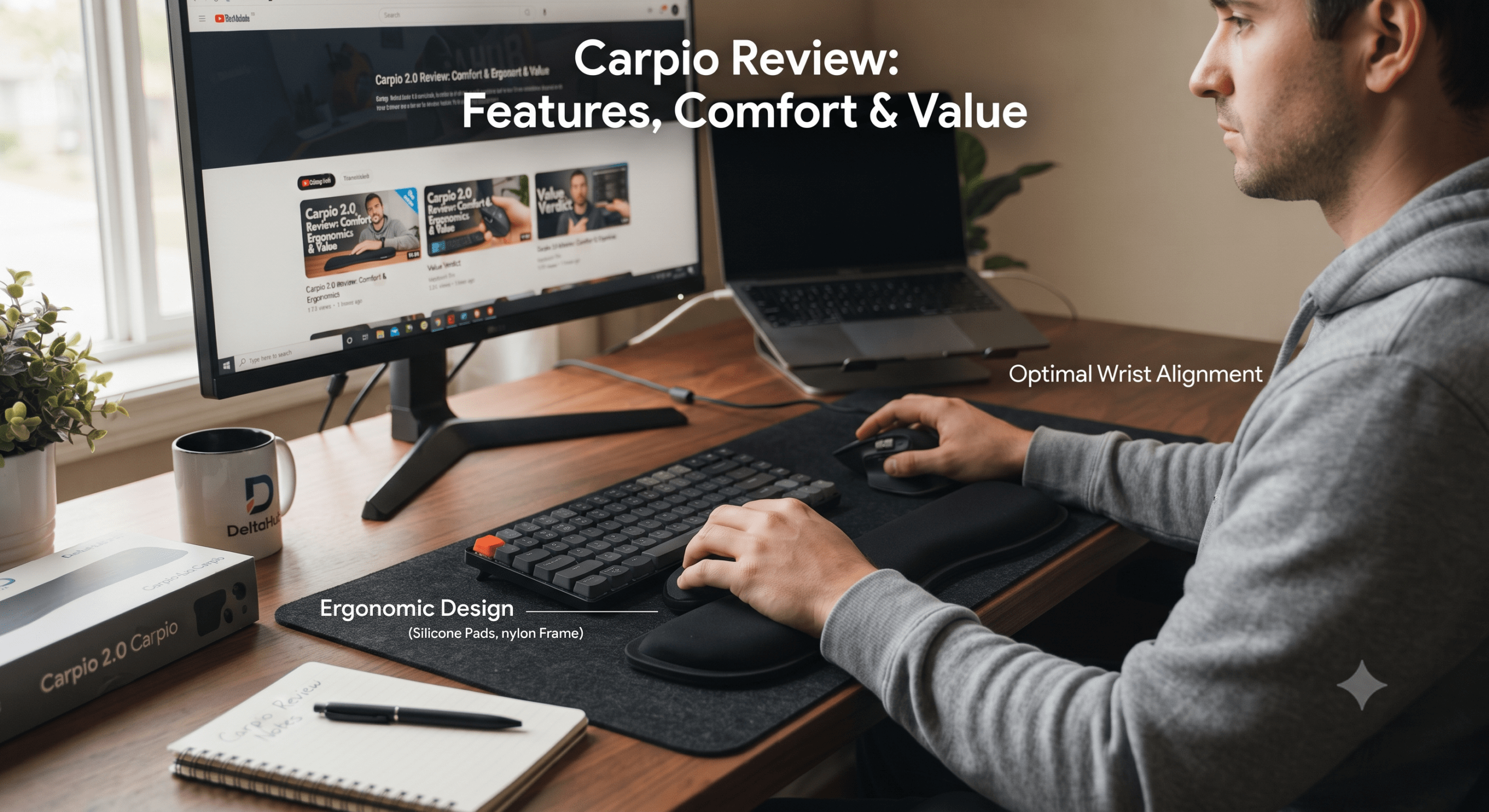
The badseed tech carpio is not a completely separate wrist-rest product created by BadSeed Tech. It is a special-edition version of DELTAHUB’s Carpio 2.0, developed as a creator collaboration with tech reviewer Brian Phillips, better known as BadSeed Tech.
What makes the Carpio unusual is simple: instead of staying fixed beside your mouse like a conventional wrist rest, it sits beneath your palm and glides across the desk as your hand moves. DELTAHUB says the design is intended to move pressure away from the sensitive wrist area while encouraging movement from the arm.
That sounds useful for gamers, programmers, editors, designers, and office workers who spend hours using a mouse. But its unconventional shape also means it will not suit every desk setup or every hand.
This guide explains what the BadSeed Tech edition actually is, how it differs from the normal Carpio 2.0, how sizing works, where it performs well, and what you should consider before buying.
badseed tech carpio Quick Facts
| Feature | Details |
|---|---|
| Official product | DELTAHUB Carpio 2.0 – BadSeed Tech Edition |
| Product type | Mobile ergonomic wrist/palm support |
| Collaboration | DELTAHUB × BadSeed Tech |
| Creator | Brian Phillips, BadSeed Tech |
| Available sizes | Small and Large |
| Hand options | Left, Right, or Both |
| Glide material | PTFE feet |
| Large dimensions | 9.6 × 4.0 cm |
| Small dimensions | 8.4 × 3.6 cm |
| Main difference | Exclusive BadSeed Tech replacement pads |
| Best suited for | Gaming, editing, design and desk-based work |
DELTAHUB’s official listing describes the collaboration model as a black Carpio 2.0 supplied with standard pads plus replaceable BadSeed Tech Special Edition pads.
What Is the BadSeed Tech Carpio?
The term badseed tech carpio generally refers to the Carpio 2.0 – BadSeed Tech Edition sold by DELTAHUB.
BadSeed Tech is the technology-review brand of Brian Phillips, a creator known primarily for coverage of PC gaming peripherals, audio equipment, and custom keyboards. Phillips has also collaborated with other peripheral manufacturers on special-edition hardware.
The Carpio collaboration applies BadSeed Tech styling to DELTAHUB’s existing ergonomic accessory rather than creating a fundamentally different wrist-rest mechanism.
That distinction matters because buyers searching for reviews may assume there is a standard Carpio and a technically upgraded “BadSeed Tech Carpio.” In practice, the main appeal of this edition is its creator-focused appearance and replaceable special-edition pads.
How the Carpio 2.0 Design Works
Traditional wrist rests usually remain stationary.
You place your wrist or lower palm against the cushion, move the mouse away from it, then return to the support when your hand comes back.
Carpio takes a different approach.
It Travels With Your Mouse Hand
The accessory rests beneath the lower palm and is designed to move as your hand moves.
DELTAHUB equips the bottom with PTFE feet to reduce friction and help the support glide over compatible desk and mouse-pad surfaces.
The basic movement looks like this:
- Position the Carpio beneath your lower palm.
- Place your hand naturally over your mouse.
- Allow the palm to remain supported without forcing excessive downward pressure.
- Move the mouse using normal arm and hand movements.
- The Carpio travels alongside your hand instead of remaining behind.
This is the defining feature that separates Carpio from inexpensive foam or gel wrist rests.
Why Supporting the Palm Matters
One common misunderstanding is that an ergonomic accessory should press directly beneath the wrist.
That is not necessarily desirable.
DELTAHUB states that Carpio’s shape is designed to redistribute pressure away from the carpal area toward stronger areas of the palm.
This explains why the product looks more like two shaped palm pads than a miniature cushion.
It also explains why placement matters.
If you position Carpio too far back beneath the wrist instead of beneath the lower palm, you may not experience the movement or support the design is intended to provide.
BadSeed Tech Carpio vs Standard Carpio 2.0
This is probably the most important buying question.
The BadSeed Tech edition does not need to be treated as a new generation of Carpio.
| Category | BadSeed Tech Edition | Standard Carpio 2.0 |
| Core ergonomic concept | Same Carpio 2.0 platform | Carpio 2.0 platform |
| Moving wrist support | Yes | Yes |
| PTFE gliding feet | Yes | Yes |
| Small/Large sizing | Yes | Yes |
| Left/Right options | Yes | Yes |
| Special appearance | BadSeed Tech pads | Standard color options |
| Collaboration branding | Yes | No |
| Main reason to choose | Styling and creator collaboration | Standard Carpio experience |
According to DELTAHUB’s product details, an order for the special edition includes a black Carpio 2.0 with standard pads together with BadSeed Tech Special Edition replaceable pads.
Which Version Should You Buy?
Choose the BadSeed Tech edition if:
- You already follow Brian Phillips or BadSeed Tech.
- You particularly like the blue-and-black creator styling.
- The price difference compared with the standard version is acceptable.
- You want the additional replacement-pad design.
Choose the regular Carpio 2.0 if:
- Ergonomics matter more than special-edition styling.
- You find the standard model at a better price.
- You prefer another available color.
- You do not care about creator branding.
Do not pay substantially more assuming the collaboration automatically gives you better ergonomic performance.
Sizing: Small or Large?
Sizing is one of the easiest details to overlook when shopping for the Carpio.
DELTAHUB currently lists:
- Small: 8.4 × 3.6 cm (3.3 × 1.4 inches)
- Large: 9.6 × 4.0 cm (3.8 × 1.6 inches)
The correct option should provide support beneath the intended areas of your palm without making the accessory feel oversized.
Do Not Choose Size From Mouse Size Alone
A large gaming mouse does not automatically mean you need a large Carpio.
Your hand dimensions are more relevant than the dimensions of the mouse.
Before ordering:
- Check DELTAHUB’s latest official size guide.
- Measure your hand rather than guessing.
- Confirm whether you are buying a left- or right-handed version.
- Consider the “both” option if you want support for keyboard and mouse use.
Correct fit matters more here than it does with a conventional rectangular wrist pad because your palm needs to sit properly on the shaped support.
Comfort During Everyday Work
The strongest use case for the Carpio is prolonged desk work involving repeated mouse movements.
Consider a video editor working through a long timeline. A conventional wrist cushion provides support only when the hand remains close to it. With Carpio, the support can move as the editor navigates between timeline controls, panels, and menus.
The same principle can apply to:
- Graphic designers
- CAD users
- Developers
- Data analysts
- Accountants
- Digital marketers
- Content creators
- Researchers
- Office professionals
The advantage is not that Carpio eliminates movement. Its value is that support is designed to remain underneath the palm during movement.
Is the BadSeed Tech Carpio Good for Gaming?
It can be, although your mouse technique makes a major difference.
Where It Makes Sense
Carpio is particularly interesting for gamers who:
- Play for long sessions.
- Use moderate or controlled mouse movements.
- Prefer arm-based movement.
- Have enough mouse-pad space for the accessory.
- Want palm support without anchoring the wrist to one position.
DELTAHUB specifically promotes the PTFE feet as allowing the wrist support to glide together with arm movement.
Where Gamers May Struggle
Very low-sensitivity FPS players sometimes make extremely large, aggressive mouse movements.
Adding another moving object beneath the palm can initially feel unfamiliar, particularly during fast flicks or repeated repositioning.
This does not necessarily make the product unsuitable for competitive gaming. It simply means you should not expect it to disappear from your awareness immediately.
Your mouse grip also matters.
A relaxed palm or claw user may interact with the accessory differently from a fingertip-grip player who places relatively little weight through the rear of the hand.
Expect a Learning Curve
Carpio changes something you have probably done automatically for years: how the bottom of your hand contacts the desk.
That makes a short adaptation period reasonable.
During your first sessions, you may notice that:
- The accessory feels unusually mobile.
- Your mouse movement feels slightly different.
- You need to reposition your palm.
- Switching rapidly between mouse and keyboard takes practice.
Avoid deciding whether it works for you after only a few minutes.
At the same time, do not force yourself to use an uncomfortable position simply because the product is described as ergonomic. Ergonomics depend on your entire workstation, including desk height, chair position, keyboard placement, mouse position, posture, and individual anatomy.
Surface Compatibility Matters
PTFE performs well because it produces relatively low friction, but the surface underneath it still affects movement.
A smooth desk or mouse pad should generally provide a different experience from a highly textured or uneven surface.
Before blaming your mouse or the Carpio for inconsistent movement, check:
- Whether the desk surface is flat.
- Whether debris is caught beneath the glide feet.
- Whether the mouse pad has a rough weave.
- Whether the Carpio crosses stitched mouse-pad edges.
- Whether your palm is pushing down unnecessarily hard.
Cleaning both the gliding surface and desk area can help maintain consistent movement.
Major Advantages of the badseed tech carpio
1. Support Moves With You
This is the product’s clearest differentiator.
You are not repeatedly leaving and returning to a stationary wrist rest whenever your mouse moves.
2. Compact Design
Carpio takes up far less permanent desk space than many long keyboard and mouse wrist rests.
It can also be carried in a laptop or accessory bag.
3. PTFE Gliding Feet
PTFE is already widely associated with mouse feet because of its low-friction properties. Using it beneath the support makes sense for a device that needs to follow mouse movement.
4. Multiple Sizes and Hand Options
The ability to choose small or large models and configure the purchase for the left hand, right hand, or both makes the product more adaptable.
5. Distinctive BadSeed Tech Styling
If you already have a black-and-blue gaming or productivity setup, the collaboration edition provides an aesthetic advantage over a generic wrist rest.
Potential Drawbacks
Higher Cost Than Basic Wrist Rests
Carpio is a specialized accessory rather than a simple block of memory foam.
That design naturally places it in a different pricing category from inexpensive wrist cushions.
Whether the difference is worthwhile depends heavily on how many hours you spend at your computer.
You Need the Correct Size
Because the product has shaped contact areas, poor sizing is more important than it would be with a large flat cushion.
Measure first.
It Changes Mouse Feel
Some users want their mouse hand completely unrestricted.
Carpio adds contact beneath the palm, so highly sensitive users may notice the accessory during rapid movement.
It Is Not a Medical Treatment
An ergonomic accessory can improve the comfort of a workstation, but it should not be treated as a cure for carpal tunnel syndrome, repetitive strain injury, nerve problems, or persistent wrist pain.
If you have ongoing pain, numbness, weakness, tingling, swelling, or reduced movement, seek appropriate medical evaluation rather than relying on a desk accessory alone.
Who Should Consider Buying It?
The BadSeed Tech Carpio makes the strongest case for people who combine intensive mouse use with an interest in improving desk ergonomics.
It may be particularly attractive if you are:
- A PC gamer with long gaming sessions.
- A video editor navigating timelines for hours.
- A designer working constantly with mouse-driven software.
- A remote worker using a computer throughout the day.
- A developer who regularly switches between keyboard and mouse.
- A BadSeed Tech follower who wants the collaboration design.
- Someone who dislikes large stationary wrist rests.
Who Probably Does Not Need It?
You may get limited value from the product if:
- You rarely use a desktop mouse.
- You primarily work from a laptop trackpad.
- Your hand almost never touches the desk while mousing.
- You strongly prefer completely unrestricted fingertip mouse movement.
- A conventional wrist rest already works perfectly for your setup.
- You are buying it solely because you expect it to fix an existing medical condition.
The most expensive ergonomic accessory is not automatically the best ergonomic solution.
How to Get Better Results From Carpio
Buying the accessory without fixing an otherwise poor workstation can limit its usefulness.
For better results, look at the complete desk arrangement.
Keep Your Mouse Close
If your mouse sits far to the side, you may constantly reach outward with your shoulder.
Move it close enough that your arm can remain in a comfortable position.
Check Desk and Chair Height
Your forearm should not need to climb sharply upward or drop significantly downward just to reach the mouse.
Avoid Excessive Palm Pressure
Carpio should support the hand rather than become something you aggressively press into the desk.
A relaxed position is generally preferable.
Give Yourself Enough Mouse Space
Because the support moves alongside your hand, both the mouse and Carpio need room to travel.
Very cramped keyboard trays may reduce the benefit.
Reassess the Entire Setup
An uncomfortable mouse, unsuitable chair, poor monitor position, or incorrect desk height cannot necessarily be solved by adding a wrist support.
Think of Carpio as one component of your setup, not the entire ergonomic solution.
Is the Special Edition Worth Paying More For?
This depends on the current price difference.
If the standard Carpio 2.0 and BadSeed Tech model are similarly priced, the special edition can be an easy choice for fans because you receive the recognizable collaboration styling without moving to a fundamentally different product platform.
If the collaboration edition costs significantly more, the decision becomes aesthetic.
The practical question is:
Would you pay the extra amount for BadSeed Tech styling if the underlying ergonomic concept remained Carpio 2.0?
If yes, buy the collaboration.
If not, compare the standard Carpio 2.0 instead.
What Buyers Commonly Get Wrong
Mistake 1: Assuming BadSeed Tech Manufactures the Carpio
The product is a DELTAHUB Carpio collaboration edition.
BadSeed Tech is the creator brand associated with the special-edition design.
Mistake 2: Buying Without Checking Hand Size
Do not choose Large simply because it sounds safer.
Follow the manufacturer’s sizing information.
Mistake 3: Expecting Instant Familiarity
A moving palm support feels different from a stationary cushion. Evaluate it over normal working or gaming sessions rather than judging the concept immediately.
Mistake 4: Ignoring Desk Ergonomics
Carpio cannot compensate for every problem created by poor posture, incorrect chair height, or excessive reaching.
Mistake 5: Treating “Ergonomic” as “Medical”
Comfort-focused hardware and medical treatment are not the same thing.
Frequently Asked Questions
What is badseed tech carpio?
The badseed tech carpio is a special-edition DELTAHUB Carpio 2.0 created in collaboration with tech reviewer Brian Phillips of BadSeed Tech. It uses Carpio’s mobile palm-support design with exclusive BadSeed Tech replacement pads.
Is BadSeed Tech Carpio different from Carpio 2.0?
The collaboration is based on the Carpio 2.0 platform. Its major distinction is the special BadSeed Tech styling and replaceable edition-specific pads rather than a completely different ergonomic mechanism.
Does the Carpio move with your hand?
Yes. Its defining concept is that the support glides with your hand rather than staying fixed on the desk. DELTAHUB uses PTFE feet underneath to facilitate movement.
Is it suitable for gaming?
It can suit gamers who want continuous palm support during long sessions, but grip style, sensitivity, mouse movement, desk surface, and personal preference all affect the experience.
Does Carpio come in different sizes?
Yes. DELTAHUB lists Small at 8.4 × 3.6 cm and Large at 9.6 × 4.0 cm. Check the latest official sizing guide before ordering.
Can I buy one for each hand?
The official product listing provides configurations for left, right, or both hands.
Who is BadSeed Tech?
BadSeed Tech is the technology-review brand of Brian Phillips, whose content focuses heavily on PC peripherals, audio hardware, gaming equipment, and custom keyboards.
Can Carpio prevent carpal tunnel syndrome?
It should not be viewed as a medical treatment or guarantee against wrist disorders. It is an ergonomic desk accessory designed to alter support and pressure distribution while using a computer.
Final Verdict: Is the badseed tech carpio Worth It?
The badseed tech carpio is most compelling when you understand exactly what you are buying: an established DELTAHUB Carpio 2.0 platform packaged with exclusive BadSeed Tech styling, rather than a completely redesigned wrist-rest technology.
Its mobile design addresses a genuine limitation of conventional wrist rests by allowing the palm support to travel with your mouse hand. PTFE gliding feet, two sizes, left- and right-hand configurations, compact dimensions, and replaceable collaboration pads make it considerably more sophisticated than a basic foam wrist cushion.
The trade-off is that the unusual design requires proper sizing, enough desk space, and some adaptation. Competitive gamers with aggressive mouse movements may notice it more than office users or creators working with slower, controlled movements.
For people who spend many hours at a computer and like the concept of a wrist support that moves instead of anchoring their hand to one spot, the Carpio 2.0 is worth considering. If you also follow BadSeed Tech and prefer the special blue-and-black aesthetic, the collaboration edition is the version that makes the most sense.