

Introduction:
Competitive games are decided by milliseconds. In Counter-Strike 2 (CS2), a stable internet connection can be the difference between landing a clean headshot and watching your opponent react before your shot even registers.
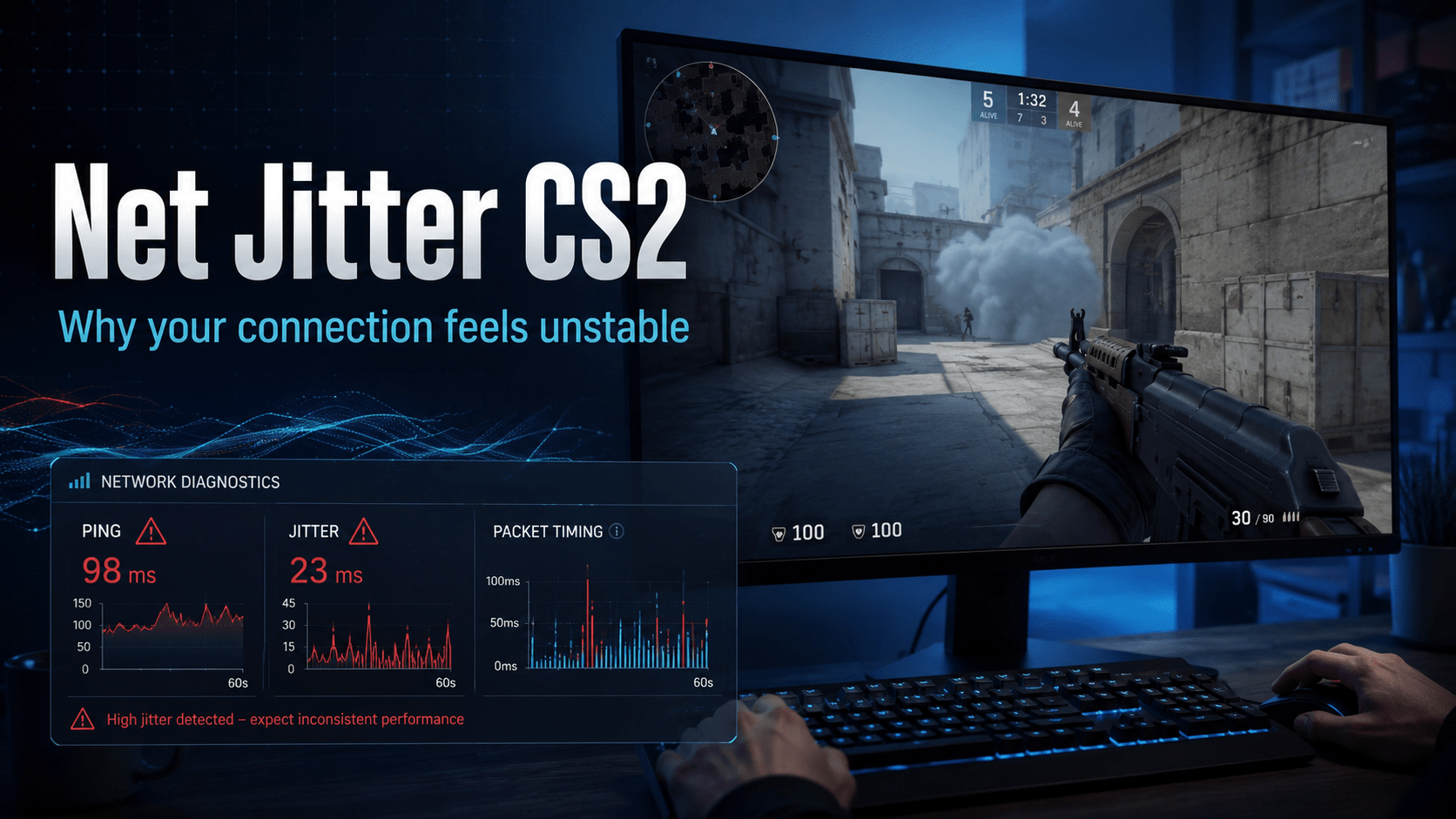
Many players focus only on ping, but ping is not the only factor affecting online gameplay. A connection with a low average ping can still feel terrible if it suffers from network jitter.
So, what exactly does net jitter CS2 mean?
Net jitter refers to inconsistent packet delivery between your computer and the game server. Instead of every data packet arriving at a predictable speed, some arrive quickly while others are delayed. This creates uneven gameplay, sudden movement changes, delayed hit registration, and frustrating lag moments.
In this guide, we’ll explain what causes jitter in Counter-Strike 2, how to check your connection quality, and practical ways to reduce jitter for a smoother competitive experience.
1:Table of Contents
- What Is Net Jitter in CS2?
- Why Does Network Jitter Affect Counter-Strike 2?
- Common Signs of High Jitter in CS2
- Main Causes of CS2 Network Jitter
- How to Check Net Jitter CS2 Problems
- Best Ways to Fix High Jitter in CS2
- CS2 Network Settings for Better Stability
- Difference Between Ping, Jitter, and Packet Loss
- Frequently Asked Questions
- Final Thoughts
2:COMPLETE GUIDE TO NET JITTER IN CS2
What Is Net Jitter in CS2?
Net jitter CS2 describes fluctuations in the time it takes for data packets to travel between your gaming device and the Counter-Strike 2 server.
When you play CS2, your computer constantly exchanges information with the server:
- Player movement
- Shooting actions
- Position updates
- Grenade actions
- Game events
A stable connection delivers these packets consistently. However, when jitter occurs, packet timing becomes unpredictable.
For example:
- Packet 1 arrives in 20 milliseconds
- Packet 2 arrives in 35 milliseconds
- Packet 3 arrives in 80 milliseconds
The average ping might still look acceptable, but the inconsistent delivery creates an unstable experience.
Unlike normal latency, jitter is about variation in latency.
Why Does Network Jitter Affect Counter-Strike 2?
Counter-Strike 2 is a highly competitive first-person shooter developed by Valve Corporation. The game depends heavily on accurate server communication because every movement and shot must be synchronized.
Even small connection problems can affect:
- Hit registration
- Player movement accuracy
- Peeking situations
- Reaction timing
- Spray control
- Competitive ranking performance
A player with stable 40 ms ping can often perform better than someone with 15 ms ping but frequent jitter spikes.
This is because consistency matters more than simply having the lowest number.
3:Common Signs of High Net Jitter CS2 Problems
Many players notice jitter without knowing what is causing it. Common symptoms include:
Sudden Teleporting or Rubber Banding
Your character may appear to move backward or jump positions unexpectedly.
This usually happens because the game receives delayed movement information and tries to correct your position.
Delayed Hit Registration
You may clearly hit an enemy but see delayed damage information or inconsistent results.
While hit registration also depends on server conditions, unstable packet delivery can contribute to the problem.
Unstable Ping Graph
A normal connection usually shows relatively consistent latency.
A jittery connection may show:
- Frequent ping spikes
- Sudden latency increases
- Unpredictable network graphs
Packet Loss Warnings
Jitter often appears alongside packet loss.
When packets arrive late or disappear completely, CS2 may struggle to maintain a smooth connection.
4:Main Causes of CS2 Network Jitter
Unstable Wi-Fi Connection
Wi-Fi is convenient, but it can introduce interference from:
- Other wireless devices
- Distance from the router
- Walls and obstacles
- Crowded wireless channels
For competitive CS2 gaming, an Ethernet connection is usually more reliable.
Internet Congestion
Your home network may experience jitter when multiple devices consume bandwidth.
Examples:
- Someone streaming 4K video
- Large downloads running in the background
- Cloud backups syncing
- Multiple gaming devices online
Gaming does not require massive bandwidth, but it requires consistent delivery.
Poor Router Performance
Older routers may struggle with modern network demands.
Router problems can include:
- Bufferbloat
- Weak processing capability
- Outdated firmware
- Poor traffic management
A quality router with modern features can improve network stability.
ISP Routing Problems
Sometimes the issue is not inside your home.
Your internet provider may route your connection through inefficient paths, creating inconsistent delays between your location and CS2 servers. Net jitter CS2
This is especially noticeable when:
- Your ping changes depending on the server
- Problems happen only during certain hours
- Other games show similar issues
5:How to Check Net Jitter CS2 Problems
Before changing settings, it helps to confirm whether jitter is actually the problem. Net jitter CS2
Use CS2 Network Information
Counter-Strike 2 includes network-related information through its developer console and telemetry options.
Players can monitor:
- Ping
- Packet loss
- Connection stability
- Frame timing information
This helps separate internet issues from PC performance problems.
Test Your Internet Connection
General network testing tools can measure:
- Latency variation
- Upload stability
- Packet loss
- Connection consistency
A connection with low ping but high variation may still cause CS2 problems.
6:Best Ways to Fix High Net Jitter in CS2
Use a Wired Ethernet Connection
This is one of the simplest improvements.
Ethernet provides:
- More stable connection
- Lower interference
- More predictable latency
For competitive gaming, wired connections remain the preferred option.
Restart and Update Network Equipment
Basic maintenance can solve many temporary problems.
Try:
- Restarting your modem and router
- Updating router firmware
- Checking cable connections
- Replacing damaged Ethernet cables
Close Background Applications
Programs using your network can increase jitter.net jitter cs2
Check for:
- Game launchers downloading updates
- Browser tabs streaming content
- Cloud storage applications
- Voice chat uploads
Enable Quality of Service (QoS)
Many modern routers include QoS settings.
QoS prioritizes gaming traffic over less important activities.
For example, your router can prioritize CS2 packets while slowing background downloads.
Choose the Closest CS2 Server
Distance matters.
A server geographically closer to you generally provides:
- Lower latency
- More stable routing
- Reduced chances of jitter
However, the closest server is not always the best if routing quality is poor.
7:CS2 Network Settings for Better Stability
Players often adjust settings to improve connection consistency.
Useful considerations include:
- Keep CS2 updated
- Use recommended matchmaking settings
- Avoid unstable VPN connections
- Monitor packet loss and latency
- Use appropriate bandwidth settings
Changing random console commands found online does not always improve networking. Many outdated tweaks no longer apply to modern CS2. Net jitter CS2
8:Difference Between Ping, Jitter, and Packet Loss
| Network Issue | Meaning | Effect in CS2 |
|---|---|---|
| Ping | Time for data to travel | Overall delay |
| Jitter | Variation in packet timing | Unstable gameplay |
| Packet Loss | Missing data packets | Freezing and corrections |
A player can have:
- Low ping + high jitter = inconsistent gameplay
- High ping + low jitter = delayed but stable gameplay
- High ping + high jitter = very poor experience
Understanding the difference helps identify the real problem. net jitter cs2
9:FAQ Section
What is a good net jitter level for CS2?
For competitive CS2, lower jitter is better. A stable connection should have minimal variation in latency. Large fluctuations can create noticeable gameplay issues.
Does high ping always mean high jitter in CS2?
No. Ping and jitter are different problems. A player can have high ping but stable gameplay, while another player can have low ping with frustrating jitter spikes.
Can Wi-Fi cause jitter in Counter-Strike 2?
Yes. Wireless interference and signal instability can increase jitter. Ethernet is generally recommended for competitive gaming. Net jitter CS2
Does a VPN reduce CS2 jitter?
Usually, no. A VPN can sometimes improve routing in rare situations, but it often adds another connection point and may increase latency.
Why does CS2 feel laggy even with low ping?
Low ping does not guarantee a stable connection. Packet loss, jitter, server issues, or inconsistent frame performance can make gameplay feel delayed.
10:Conclusion
Understanding net jitter in CS2 is essential for anyone who wants smoother and more consistent gameplay. While many players focus only on ping, a low ping alone does not guarantee a stable connection. Issues like network jitter, packet loss, and unstable routing can significantly affect hit registration, player movement, and overall match performance.
Fortunately, most jitter problems can be reduced by using a wired Ethernet connection, keeping your router updated, minimizing network congestion, and choosing the nearest or most reliable game servers. These simple improvements often provide a more noticeable difference than simply having a faster internet package.
Ultimately, achieving a better Counter-Strike 2 experience is about maintaining a stable and reliable connection, not just chasing the lowest ping. By understanding the causes of network jitter and applying the fixes discussed in this guide, you can enjoy smoother gameplay, faster response times, and a more competitive gaming experience.
11:Key Takeaways
- Net jitter in CS2 means inconsistent packet delivery timing.
- Low ping does not always mean a stable connection.
- Wi-Fi interference, congestion, and ISP routing can increase jitter.
- Ethernet usually provides better competitive gaming stability.
- Monitoring packet loss and latency variation helps identify problems.
- Stable networking is essential for accurate CS2 gameplay.